
EffectCraft
Media · 24 Oct 2026
EffectCraft is a free, open-source app for making motion graphics and visual effects, with layers, keyframes, effects, 3D cameras and a render queue. It runs on macOS, Windows and Linux.
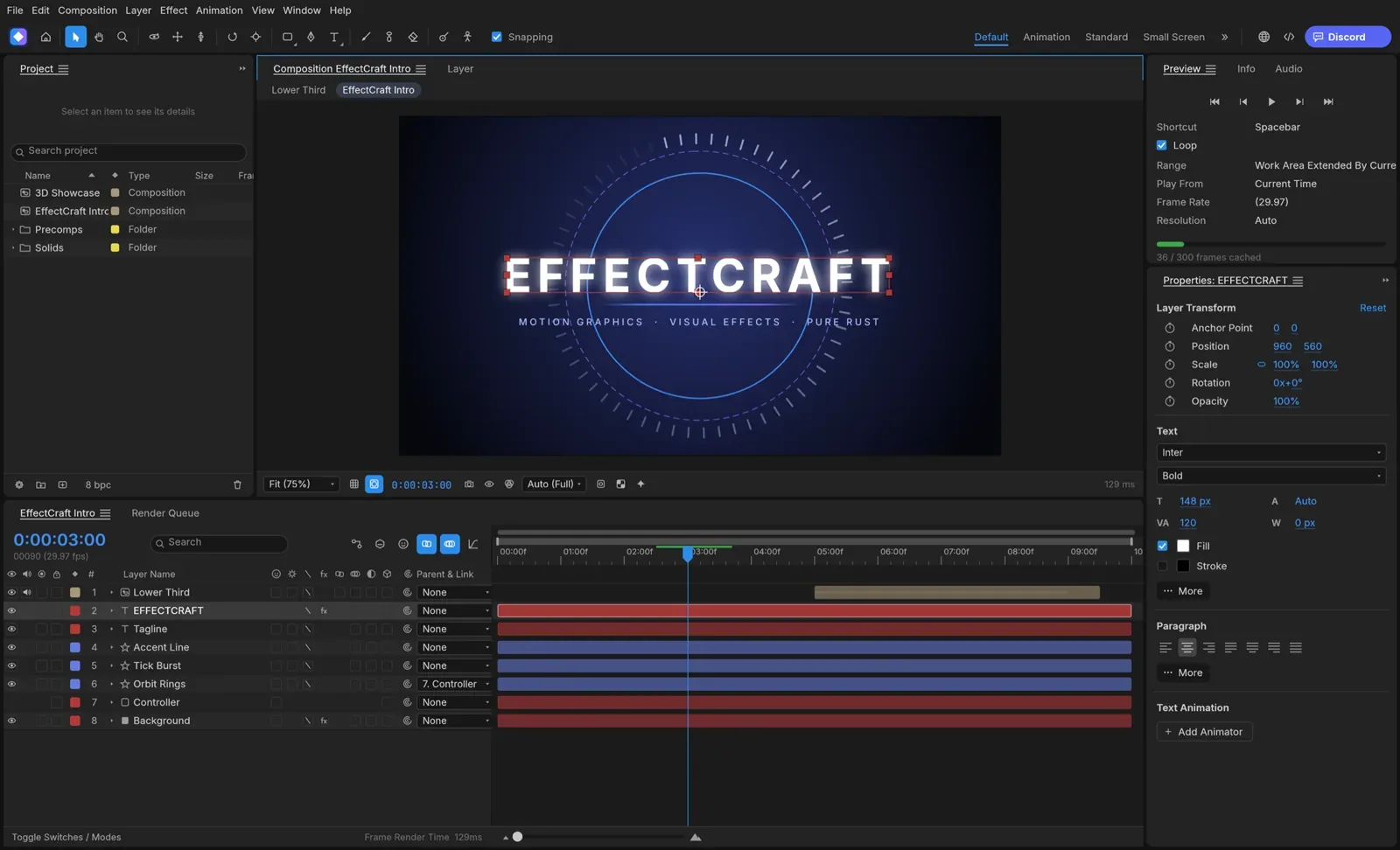
Picture and logo: EffectCraft (getartcraft.com)
Is it right for you?
People who want to make animated titles, effects and 3D motion graphics on their own computer without paying for software, and are happy to use a young project that is still being built.
Replaces some features, but not everything.
Look elsewhere if you need:
- You need a mature, finished tool: the project calls EffectCraft young and still in development.
What you can do with it
- Animate with keyframes (points in time where a value changes), including a graph editor with value and speed curves.
- Build scenes from layers of many kinds: shapes, text, footage, nested compositions, cameras and lights, with 38 blend modes.
- Use 259 built-in effects, such as blur, colour correction, keying, particles and simulation.
- Work in 3D with cameras, depth of field and lights that cast soft shadows.
- Control properties with JavaScript expressions (small pieces of code), such as wiggle and loops.
- Export to H.264 and ProRes with alpha, image sequences, GIF, and import or export Lottie animations for the web.
Running cost
Price estimation
$0.00/month
About $0.00 a month on average, in USD. Over 1 year (12 months) that is $0.
- Upfront, paid once
- $0
- Fixed monthly costs
- $0 / month
- Usage-based (API) costs
- none recorded
Software licence: The project says EffectCraft is free and open source.
What this assumes
Typical use. Your own computer: The software runs on a computer you already own.
- You already own the computer, so its price is not counted.
- Electricity is not counted: it depends on your computer and where you live.
An estimate built from these assumptions, not a quote.
Getting started
Choose how much technical work suits you. Easy takes you to the project’s own ready-made option; the other levels show what you need first and a prompt you can give an AI coding agent.
Ways to install it
- Running
- ArtCraft Launcher
- Where
- Your own computer
- API usage
- None needed
Download the ArtCraft Launcher, a small app that installs EffectCraft for you, picks the right version for your computer and keeps it updated.
Download an installer for your system (a disk image on Mac, an installer or portable zip on Windows, or Flatpak, AppImage, Debian, RPM or tarball files on Linux) that installs EffectCraft on its own.
Requirements
No requirements recorded.
What you take on
- You update it yourself: come back to the page for new versions, or install the launcher later.
Download the source code from GitHub and build the app yourself with Rust (the programming language EffectCraft is written in).
Requirements
- Rust 1.95 or newer (Rust is the programming language EffectCraft is written in; rustup is its installer) (needed)
No way to install it has been reviewed yet.