
FilmCraft
Media · 22 Oct 2026
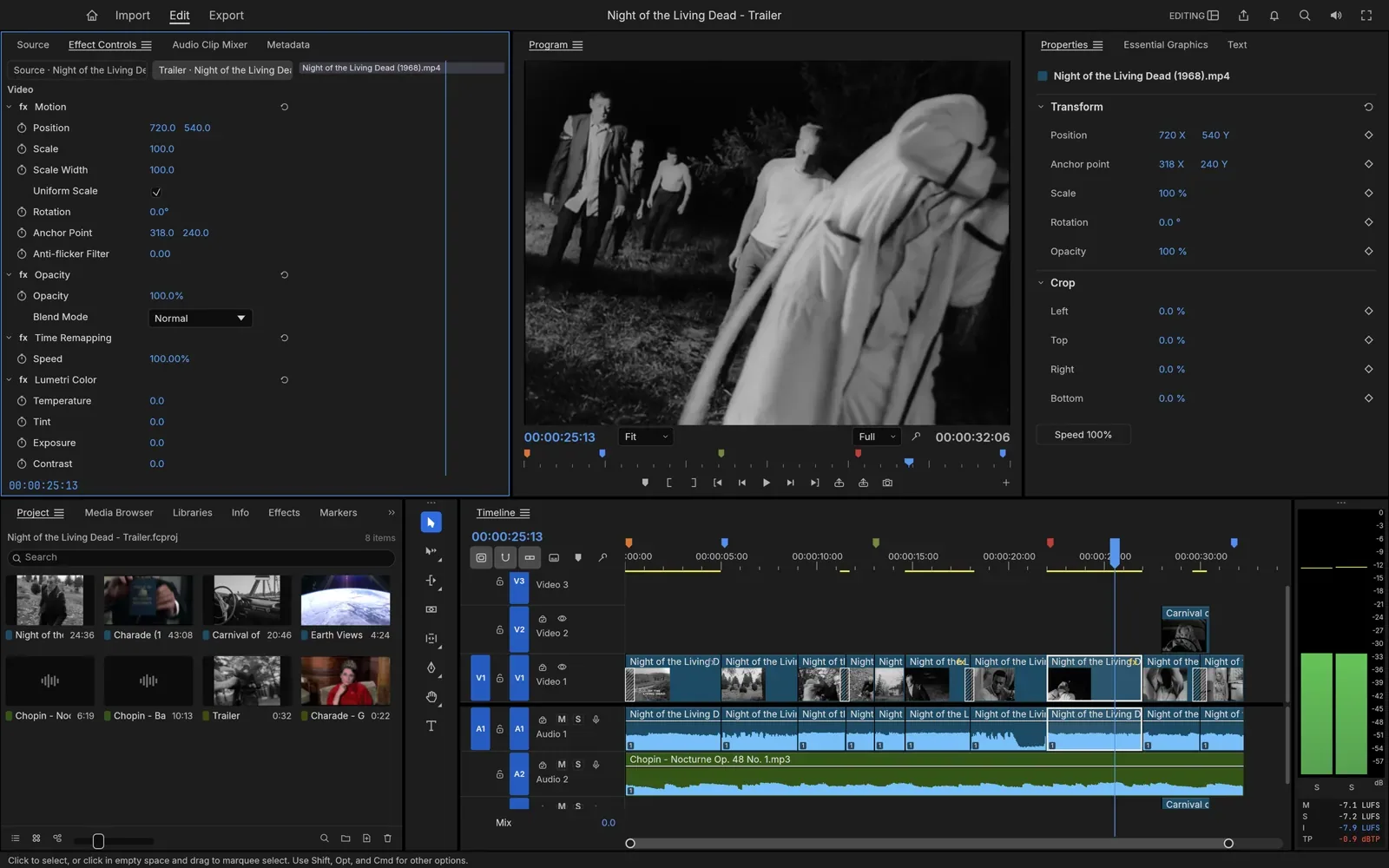
FilmCraft is a free, open-source video editor for cutting and finishing films and videos, with a timeline, trimming tools, colour grading, effects and audio mixing. It runs as an app on Mac, Windows and Linux, and the project says it is still in development.
Is it right for you?
People who edit video and want a free editor with the tools professional editors expect, such as a full timeline, trimming and colour grading, and who are happy to use an app the project says is still in development.
Replaces some features, but not everything.
Look elsewhere if you need:
- You need a finished, dependable editor: the project says FilmCraft is still in development, so it is still changing.
- You edit on an iPad or phone: the downloads are for Mac, Windows and Linux computers.
What you can do with it
- Edit on a timeline with source and program monitors (the clip you choose from and your edited film), three-point editing and every trim mode.
- Keep exact timing at common film and TV frame rates, such as 23.976 and 29.97, with no drift or rounding.
- Work with H.264, HEVC, ProRes, VP9, AAC and Opus using its own built-in codecs (the code that reads and writes video and sound).
- Grade colour (adjust the look of your footage) with curves, colour wheels, LUTs (ready-made colour looks) and HDR, and check it with scopes.
- Add about 55 video effects and 30 transitions, and animate them with keyframes (settings that change over time).
- Mix sound with a mixer, loudness meters for broadcast standards and built-in audio effects.
- Run it without its window from the command line, so scripts and AI agents can use it.
Running cost
Price estimation
$0.00/month
About $0.00 a month on average, in USD. Over 1 year (12 months) that is $0.
- Upfront, paid once
- $0
- Fixed monthly costs
- $0 / month
- Usage-based (API) costs
- none recorded
Software licence: FilmCraft is free and open source on every platform: there is nothing to pay to use it.
What this assumes
Typical use. Your own computer: The software runs on a computer you already own.
- You already own the computer, so its price is not counted.
- Electricity is not counted: it depends on your computer and where you live.
An estimate built from these assumptions, not a quote.
Getting started
Choose how much technical work suits you. Easy takes you to the project’s own ready-made option; the other levels show what you need first and a prompt you can give an AI coding agent.
Ways to install it
- Running
- ArtCraft Launcher
- Where
- Your own computer
- API usage
- None needed
Install the ArtCraft Launcher, an app from the same makers that installs FilmCraft, picks the right version for your computer and keeps it up to date.
Requirements
- A Mac, Windows or Linux computer (needed)
What you take on
- The launcher also offers the other ArtCraft apps, and each update is one click.
Download FilmCraft on its own, without the launcher: a normal installer, a portable version that runs without installing (on Windows), or a Linux package.
Requirements
- A Mac, Windows or Linux computer (needed)
What you take on
- You come back to the download page for each new version yourself, or install the launcher later and it will keep FilmCraft updated.
Download FilmCraft’s source code (the files the app is built from) and build it yourself with Rust, the programming language it is written in. This route takes the most technical work.
Requirements
- Rust 1.95 or newer: the programming language FilmCraft is written in, installed with a tool called rustup (needed)
- Git: free software that downloads the source code (needed)
What you take on
- You type commands in the terminal (the text window for commands), and rebuild it yourself to get each update.
No way to install it has been reviewed yet.