
PdfCraft
Productivity · 22 Oct 2026
PdfCraft is a free, open-source app for working with PDF files: read and search them, rearrange pages, combine and split documents, and open encrypted files. It runs on your own computer with no account or cloud, and the project calls it an early alpha.
Is it right for you?
People who want a free app to read, organise, combine and split PDFs on their own computer, without an account or cloud, and who are comfortable using software that is still at an early stage.
Replaces some features, but not everything.
Look elsewhere if you need:
- You need a finished, dependable app: the project calls PdfCraft an early alpha, an early test version that is still changing.
- You work with PDFs on an iPad or phone: the downloads are for Mac, Windows and Linux computers.
What you can do with it
- Read PDFs that display correctly, including many languages, vertical Japanese text, colour emoji and transparency.
- Search as you type, and select text in the order the document is meant to be read.
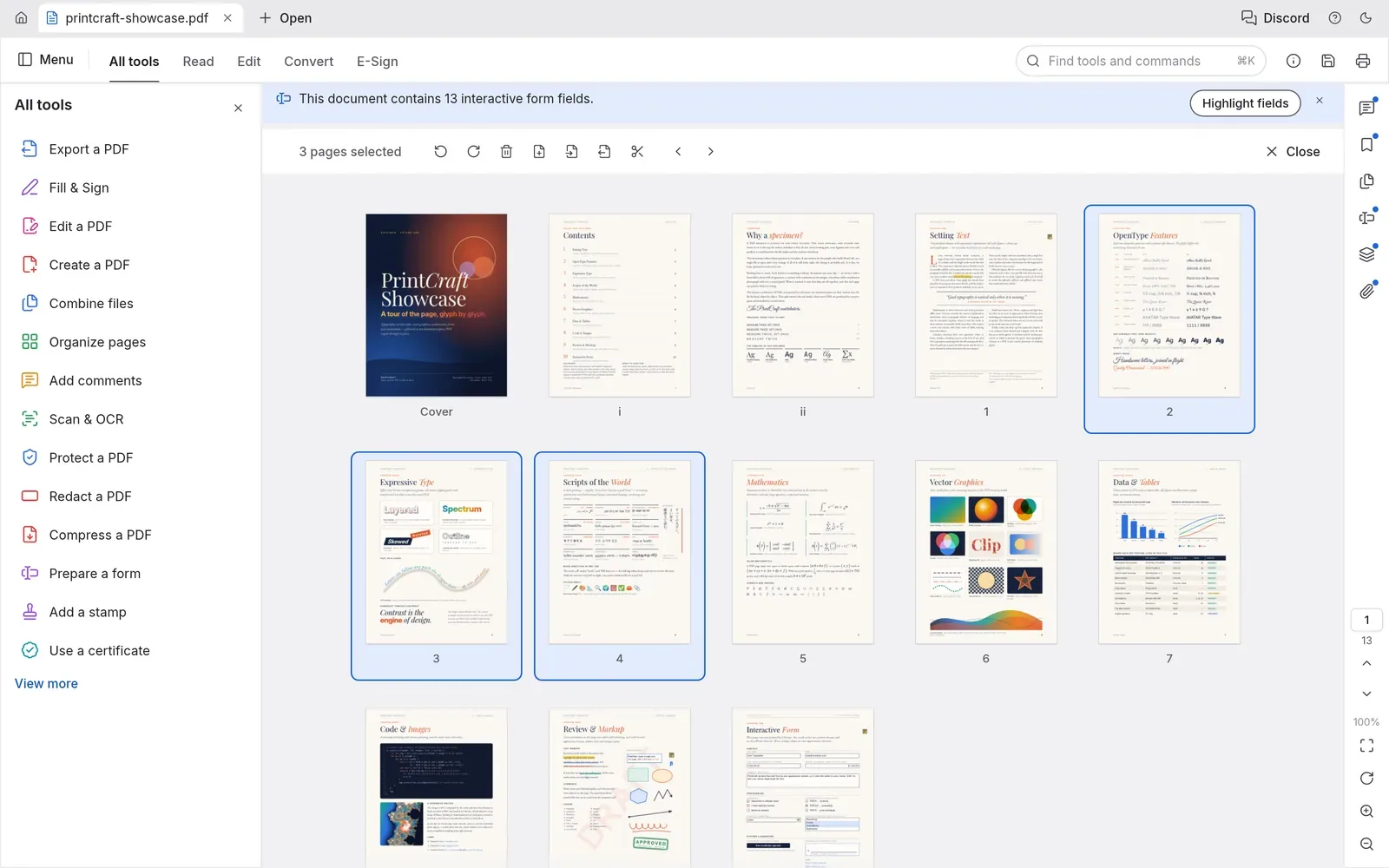
- Rotate, delete, insert and reorder pages like cards, with undo for every change.
- Combine several PDFs into one, or split one apart, while keeping links, form fields, layers and bookmarks.
- Save safely: it saves automatically and can recover your work after a crash.
- Open encrypted PDFs (from older RC4 up to AES-256) and respect the permissions their authors set.
- Keep your documents private: no account, no tracking (telemetry) and no cloud.
- Run it without its window from the command line, so scripts and AI agents can use it.
Running cost
Price estimation
$0.00/month
About $0.00 a month on average, in USD. Over 1 year (12 months) that is $0.
- Upfront, paid once
- $0
- Fixed monthly costs
- $0 / month
- Usage-based (API) costs
- none recorded
Software licence: PdfCraft is free and open source on every platform: there is nothing to pay to use it.
What this assumes
Typical use. Your own computer: The software runs on a computer you already own.
- You already own the computer, so its price is not counted.
- Electricity is not counted: it depends on your computer and where you live.
An estimate built from these assumptions, not a quote.
Getting started
Choose how much technical work suits you. Easy takes you to the project’s own ready-made option; the other levels show what you need first and a prompt you can give an AI coding agent.
Ways to install it
- Running
- ArtCraft Launcher
- Where
- Your own computer
- API usage
- None needed
Install the ArtCraft Launcher, an app from the same makers that installs PdfCraft, picks the right version for your computer and keeps it up to date.
Requirements
- A Mac, Windows or Linux computer (needed)
What you take on
- The launcher also offers the other ArtCraft apps, and each update is one click.
Download PdfCraft on its own, without the launcher: a normal installer, a portable version that runs without installing (on Windows), or a Linux package.
Requirements
- A Mac, Windows or Linux computer (needed)
What you take on
- You come back to the download page for each new version yourself, or install the launcher later and it will keep PdfCraft updated.
Download PdfCraft’s source code (the files the app is built from) and build it yourself with Rust, the programming language it is written in. This route takes the most technical work.
Requirements
- Rust 1.90 or newer: the programming language PdfCraft is written in, installed with a tool called rustup (needed)
- Git: free software that downloads the source code (needed)
What you take on
- You type commands in the terminal (the text window for commands), and rebuild it yourself to get each update.
No way to install it has been reviewed yet.