PhotoCraft
Photo & design · 21 Oct 2026
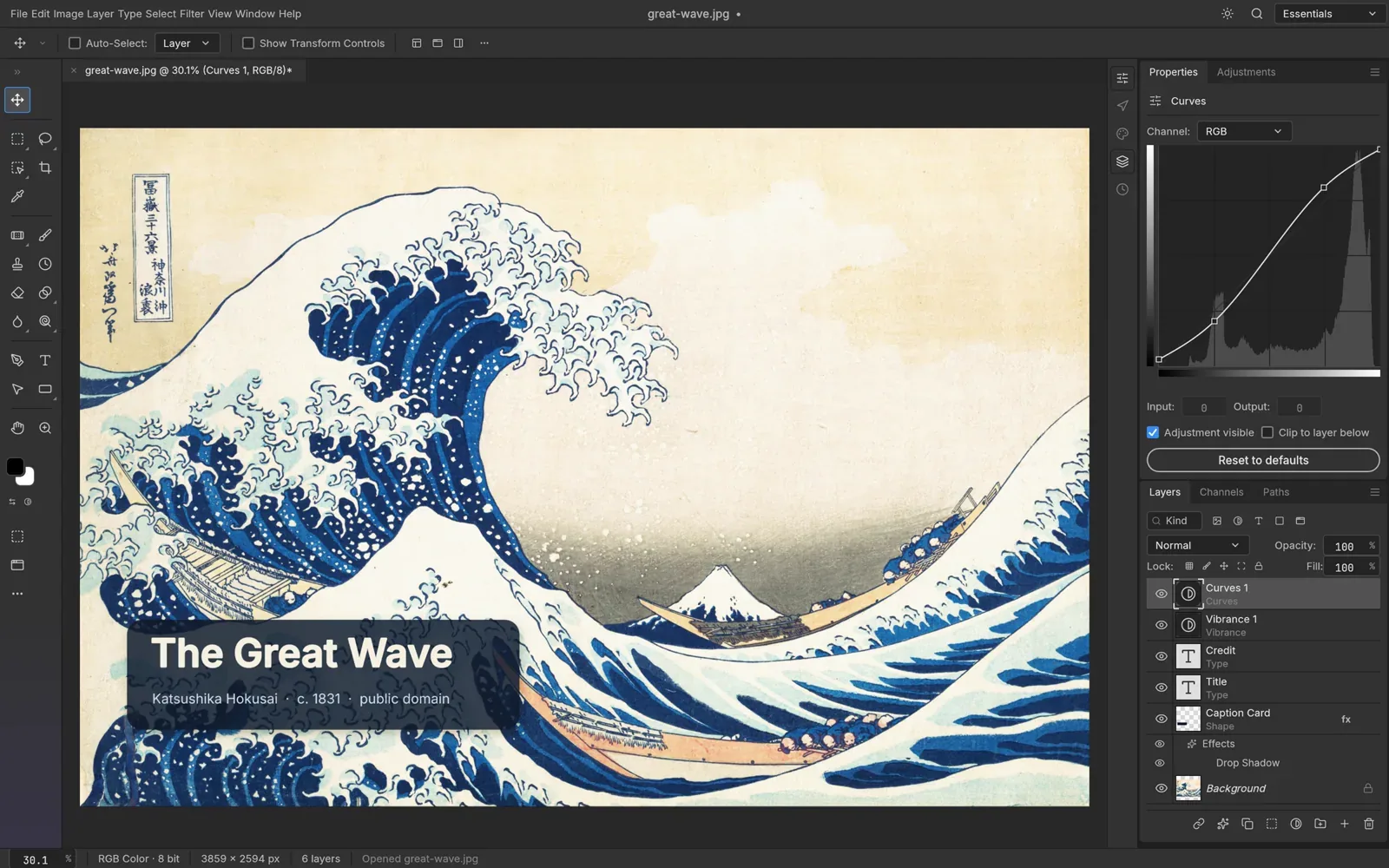
PhotoCraft is a free, open-source image editor with layers, masks, adjustment layers, type and brushes. It runs as a native app on your own computer, works offline and opens layered PSD files.
Is it right for you?
People who want a familiar layer-based image editor that opens PSD files, runs offline on their own computer and costs nothing.
Replaces some features, but not everything.
Look elsewhere if you need:
- You need a finished, stable editor: the project calls PhotoCraft an early alpha.
- You need every PSD file to come back exactly: in the project's own test, 134 of 135 files did.
What you can do with it
- Edit with layers, masks, adjustment layers, layer styles, type, vectors and brushes.
- Open and save layered PSD and PSB files (Photoshop's file formats). Limit: In the project's own test, 134 of 135 real-world files came back unchanged.
- Edit without losing the original: 16 adjustment layers, over 70 filters with live preview, and smart objects with smart filters.
- Select subjects and objects and refine masks with tools that run on your own computer.
- Work in 8, 16 and 32-bit colour in RGB, CMYK, Lab and Grayscale, with colour management and soft proofing (previewing how a print will look).
- Use the menus, shortcuts, panels and tools you already know from other editors.
- Run it from the command line for scripts and AI agents.
- Work offline: it is a native app, not a web page.
Running cost
Price estimation
$0.00/month
About $0.00 a month on average, in USD. Over 1 year (12 months) that is $0.
- Upfront, paid once
- $0
- Fixed monthly costs
- $0 / month
- Usage-based (API) costs
- none recorded
Software licence: The project says PhotoCraft is free and open source on every platform.
What this assumes
Typical use. Your own computer: The software runs on a computer you already own.
- You already own the computer, so its price is not counted.
- Electricity is not counted: it depends on your computer and where you live.
An estimate built from these assumptions, not a quote.
Getting started
Choose how much technical work suits you. Easy takes you to the project’s own ready-made option; the other levels show what you need first and a prompt you can give an AI coding agent.
Ways to install it
- Running
- ArtCraft Launcher
- Where
- Your own computer
- API usage
- None needed
Install the ArtCraft Launcher, which installs PhotoCraft, picks the right version for your computer and keeps it up to date.
Requirements
- A Mac, Windows or Linux computer (needed)
What you take on
- The launcher also offers the other ArtCraft apps.
Download PhotoCraft on its own: an installer, a portable version or a Linux package (Flatpak, AppImage, .deb, .rpm).
Requirements
- A Mac, Windows, Linux or FreeBSD computer (needed)
What you take on
- You come back to the website to download each new version yourself.
Download the source code and build PhotoCraft yourself with Rust.
Requirements
- Rust 1.90 or newer (installed with rustup) (needed)
- Git, to download the source code (needed)
What you take on
- You rebuild it yourself to get each update.
No way to install it has been reviewed yet.