
SoundCraft
Media · 28 Oct 2026
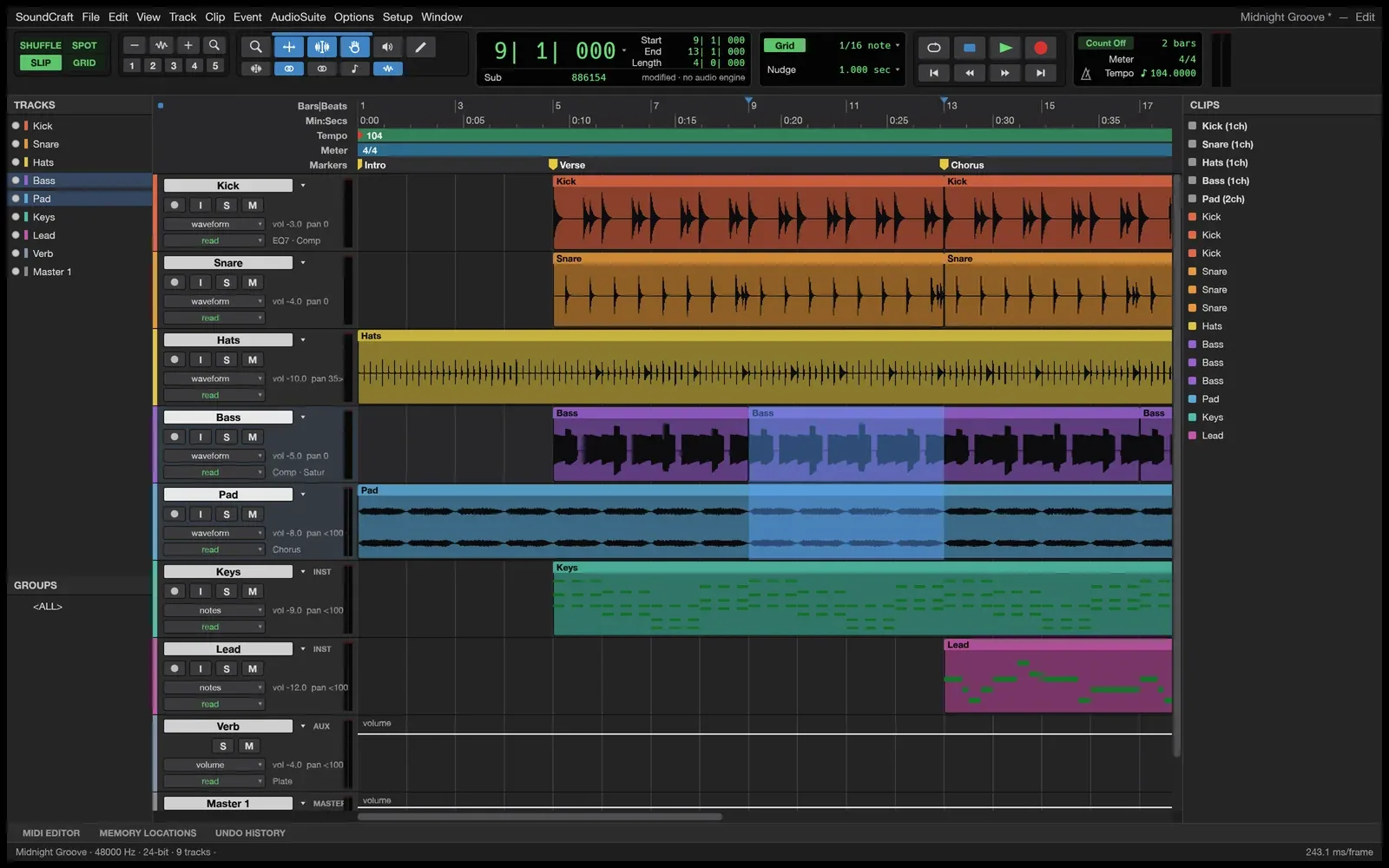
SoundCraft is a free, open-source digital audio workstation (an app for recording, editing and mixing sound), with multitrack audio and MIDI, a mixing console and automation. It runs on macOS, Windows and Linux.
Picture and logo: SoundCraft (getartcraft.com)
Is it right for you?
People who want to record, edit and mix music or sound on their own computer without paying for software, and are happy to use a project that is still in development.
Replaces some features, but not everything.
Look elsewhere if you need:
- You need a mature, finished tool: the project labels SoundCraft in development.
What you can do with it
- Record and edit in separate Edit and Mix windows, with editing modes, comping (building one take from several) and memory locations.
- Mix on a full console with ten inserts and ten sends per track, busses, aux inputs, VCAs and automatic plugin delay compensation.
- Record automation live for volume, pan, mutes, sends and plugin settings.
- Use built-in effects and synthesisers, and load external CLAP plugins (a plugin format).
- Edit MIDI (note data) in a piano roll, and use a score notation editor and audio-to-MIDI pitch detection.
- Mix in surround up to 9.1.6 and play video in sync with the playhead.
Running cost
Price estimation
$0.00/month
About $0.00 a month on average, in USD. Over 1 year (12 months) that is $0.
- Upfront, paid once
- $0
- Fixed monthly costs
- $0 / month
- Usage-based (API) costs
- none recorded
Software licence: The project says SoundCraft is free and open source.
What this assumes
Typical use. Your own computer: The software runs on a computer you already own.
- You already own the computer, so its price is not counted.
- Electricity is not counted: it depends on your computer and where you live.
An estimate built from these assumptions, not a quote.
Getting started
Choose how much technical work suits you. Easy takes you to the project’s own ready-made option; the other levels show what you need first and a prompt you can give an AI coding agent.
Ways to install it
- Running
- ArtCraft Launcher
- Where
- Your own computer
- API usage
- None needed
Download the ArtCraft Launcher, a small app that installs SoundCraft for you, picks the right version for your computer and keeps it updated.
Download an installer for your system (a disk image on Mac, an installer or portable zip on Windows, or Flatpak, AppImage, Debian, RPM or tarball files on Linux) that installs SoundCraft on its own.
Requirements
No requirements recorded.
What you take on
- You update it yourself: come back to the page for new versions, or install the launcher later.
Download the source code from GitHub and build the app yourself with Rust (the programming language SoundCraft is written in).
Requirements
- Rust 1.90 or newer (Rust is the programming language SoundCraft is written in; rustup is its installer) (needed)
No way to install it has been reviewed yet.