VectorCraft
Photo & design · 21 Oct 2026
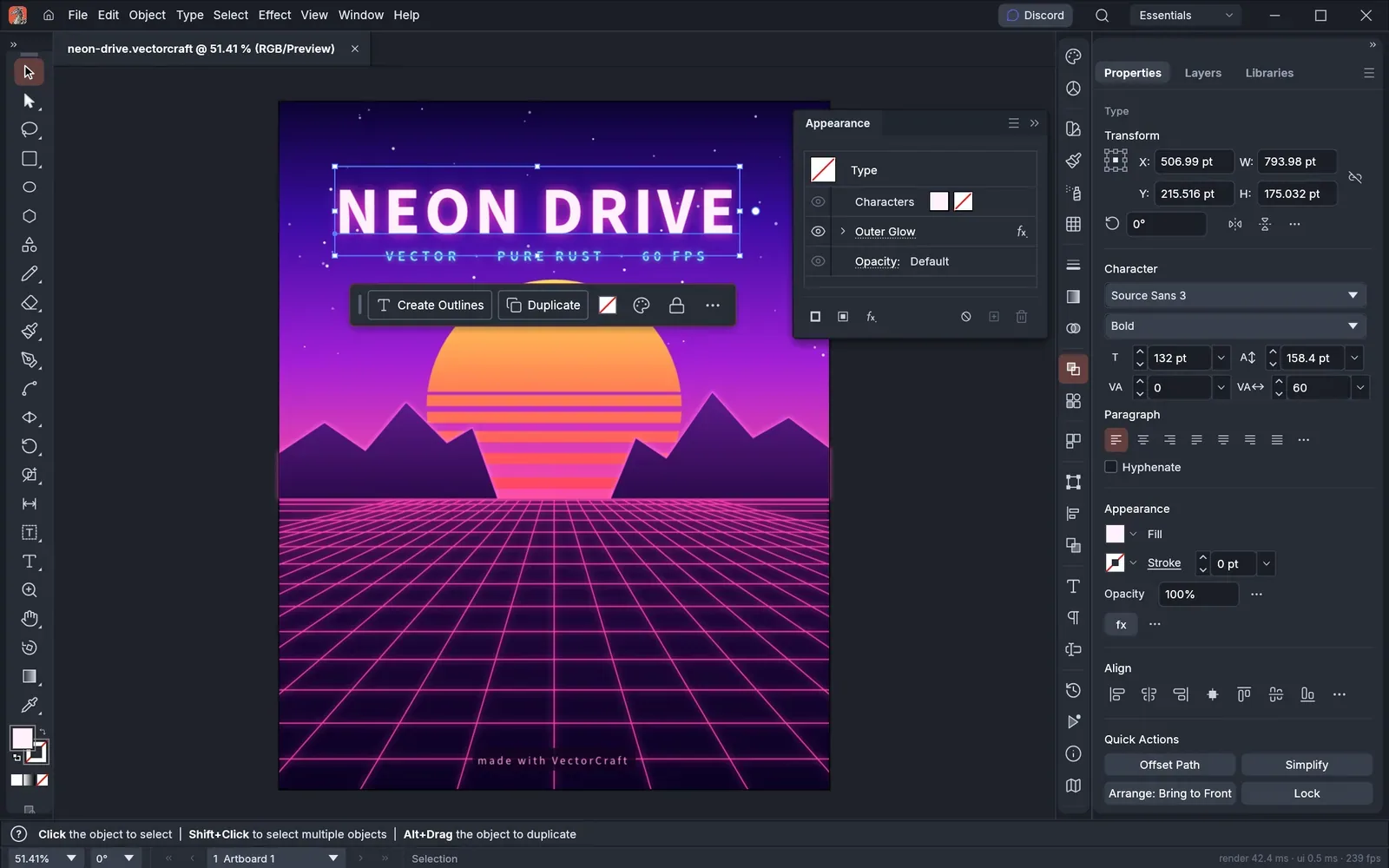
VectorCraft is a free, open-source vector illustration app for macOS, Windows, Linux and the web, with pen tools, shape tools and live effects.
Is it right for you?
Illustrators and hobbyists who want a free vector drawing app with the usual pen and shape tools, and are happy to use an app the project still calls in development.
Replaces some features, but not everything.
Look elsewhere if you need:
- You need a finished, stable product: the project lists VectorCraft as still in development.
- You need a phone or tablet app: the downloads listed are for macOS, Windows, Linux and the web.
What you can do with it
- Draw with a pen, select points directly, combine shapes and use snapping guides and an appearance panel.
- Combine shapes with exact curve booleans (the operations that merge or cut shapes), with unlimited undo.
- Add blends, envelope distort, gradient mesh, repeats, glows and drop shadows that stay editable.
- Turn photos and other raster images into vector paths with 12 tracing presets.
- Open and save SVG and PDF files, and export PNG, JPEG and WebP at several sizes.
- Let an AI agent draw for you: its MCP server (a way for AI agents to use the app) exposes every tool and command.
Running cost
Price estimation
$0.00/month
About $0.00 a month on average, in USD. Over 1 year (12 months) that is $0.
- Upfront, paid once
- $0
- Fixed monthly costs
- $0 / month
- Usage-based (API) costs
- none recorded
Software licence: The project says VectorCraft is free and open source.
What this assumes
Typical use. Your own computer: The software runs on a computer you already own.
- You already own the computer, so its price is not counted.
- Electricity is not counted: it depends on your computer and where you live.
An estimate built from these assumptions, not a quote.
Getting started
Choose how much technical work suits you. Easy takes you to the project’s own ready-made option; the other levels show what you need first and a prompt you can give an AI coding agent.
Ways to install it
- Running
- ArtCraft Launcher
- Where
- Your own computer
- API usage
- None needed
Download the ArtCraft Launcher, which installs VectorCraft and keeps it up to date.
Requirements
- A Mac, Windows or Linux computer (needed)
Download VectorCraft on its own: an installer, a portable version or a Linux package (Flatpak, AppImage, .deb, .rpm).
Requirements
- A Mac, Windows or Linux computer (needed)
What you take on
- You come back to the website to download each new version yourself.
Download the source code and build the app yourself with Rust (the programming language it is written in).
Requirements
- Rust 1.90 or newer (the language the app is built with; rustup installs it) (needed)
- Git (to download the source code) (needed)
What you take on
- You build and update the app yourself.
No way to install it has been reviewed yet.